
Cinema chain management software
Which site is performing, and did the promotion work everywhere? Every location on one platform, so those questions have answers.
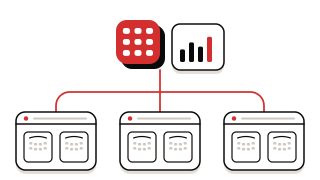
Typical setup
- Two or more locations
- Central or head-office management
- Consistent pricing across sites
- Staff who move between sites
- Reporting for owners or investors
What changes when you run more than one site
01Comparing locations means assembling separate exports
Every location under one login, with consolidated reporting for head office.
02A price change has to be made at every site
Pricing is kept consistent across sites from the same platform.
03Head office finds out about problems late
Tickets sold, occupancy by screen, revenue by channel and top concession items in one view, for each location.
04Staff moving between sites have to relearn the system
Every location runs the same platform and the same screens.
05Owner and distributor reporting is assembled by hand
Reports ready for management, including distributor reporting.
Where to start
- 01 · START HEREReporting & analytics The core of multi-location management: consolidated reporting for head office.
- 02Ticketing One pricing structure across sites.
- 03Operations & scheduling Scheduling, staff access and records on one platform for every location.
- 04Online booking & app One booking experience across your locations.
Rolling out across locations
Chains are usually best served by going live at one site first, then adding the next. The first location sets your pricing, menu and reporting structure for the rest to follow.
Questions operators ask
Can we manage all our cinemas from one login?
Yes. Every location is under one login, with consolidated reporting for head office.
Can pricing be kept consistent across sites?
Yes. Pricing is kept consistent across sites from the same platform.
Can we produce consolidated reports for owners?
Yes. Reporting consolidates across locations, including distributor reporting.